
 GTA VI · Characters
GTA VI Jason and Lucia Character-Switching Guide
What the Extended Look showed about missions, combat roles and switching between GTA VI’s protagonists.
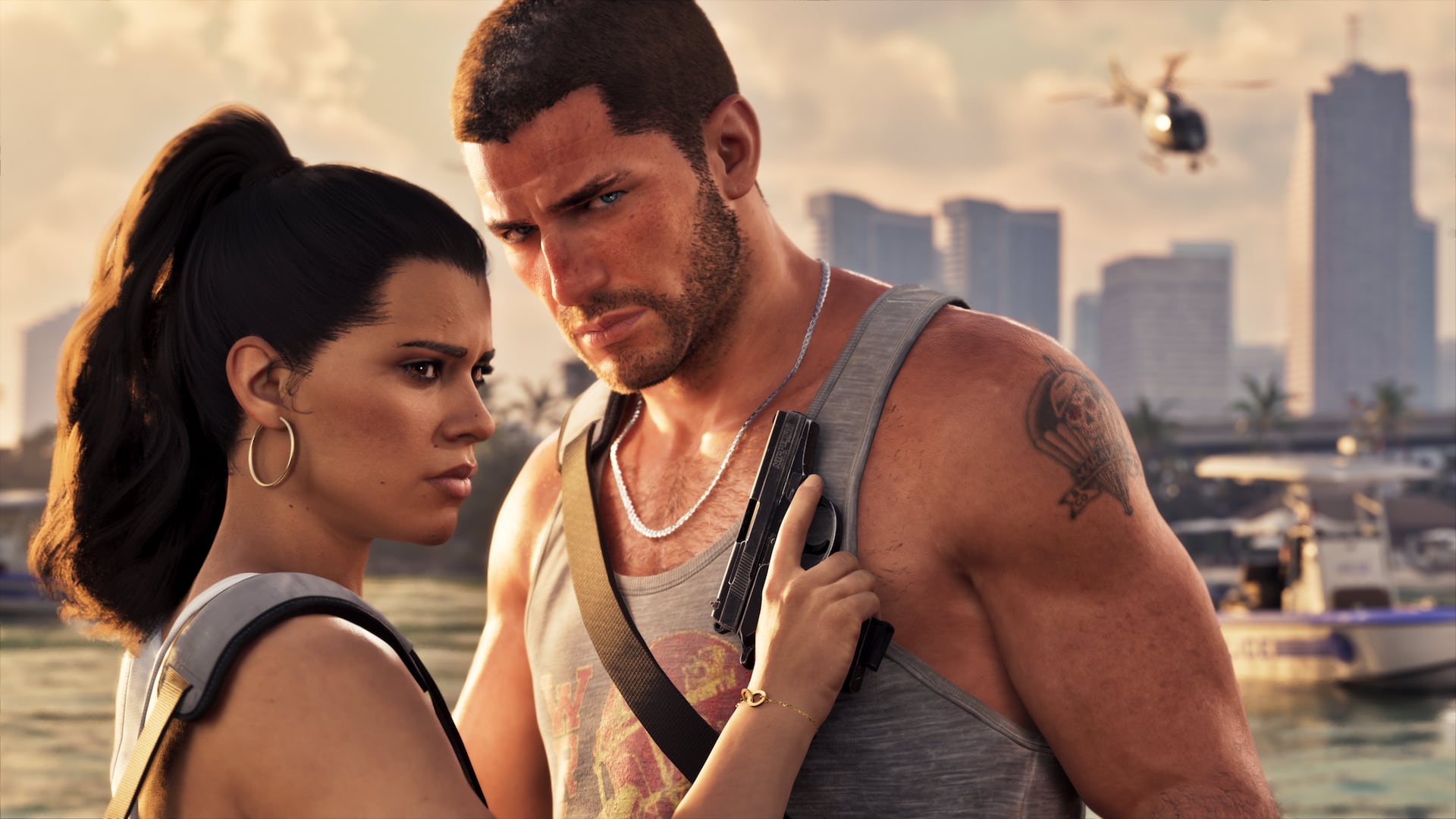
Jason Duval and Lucia Caminos are the center of GTA VI’s story. Rockstar’s premise emphasizes their dependence on each other after an easy score pulls them into a wider Leonida conspiracy.
The Extended Look showed missions with the pair together and separately, including switching during action. It did not publish a complete list of exclusive abilities or every restriction on switching.
GTA VI visual field guide
Use these official Rockstar screenshots to put the guide's characters, terrain, and Leonida setting in context. Select a scene to inspect it full size.
The useful version in one minute
Jason and Lucia share the central story.
Missions can place them together or apart.
Action switching was shown.
Exclusive ability details remain incomplete.
Plan roles around the objective
A two-protagonist mission can divide approach, combat and getaway responsibilities. Before launch, treat these as possibilities demonstrated in footage rather than fixed class roles.
After release, the mission planner can record which character starts an objective, who carries key equipment and whether the game permits a switch at each stage.
Track character-specific progress carefully
Money, vehicles, equipment, contacts and mission availability may not be identical. Do not assume every unlock is shared until the game makes the relationship clear.
Use separate notes or save slots for character-specific goals and a shared checklist for story objectives.
Avoid inventing abilities from editing
A presentation can cut between perspectives without proving that every transition is freely controlled. Confirm the on-screen prompt or in-game behavior before documenting a mechanic as unrestricted.
Our reference will label direct demonstrations, press observations and post-launch testing separately.
How to apply this GTA VI guide with confidence
GTA VI planning currently requires a strict separation between confirmed Rockstar information, observations from official footage, press interpretation and fan estimates. Release date, announced platforms and named Leonida regions can be cited directly, while exact file size, economy balance, map scale and many gameplay formulas remain unknown. A useful pre-launch guide labels that status beside every recommendation.
A strong gameplay decision-making workflow does more than produce a number. It preserves the inputs, explains the tradeoff and gives you a repeatable check when the game, your inventory or your goal changes. Use the sections below as a working notebook for GTA VI Jason and Lucia Character-Switching Guide, and update the baseline whenever new evidence replaces an assumption.
01 Establish a reliable baseline
Use scenario ranges for unconfirmed quantities and show how the result changes rather than selecting one rumor as fact. Download planning can compare several possible file sizes and measured connection speeds; map and economy planning can organize categories without inventing exact coordinates or payouts. Replace a scenario only when Rockstar or the released game supplies firmer evidence.
Before entering anything, copy the relevant values exactly as the game displays them. Include the mode, platform, version and any active boosts or variants that can change the outcome. Save the first result before experimenting. That untouched baseline gives every later comparison a stable reference and makes input mistakes much easier to spot.
When a value is unknown, label it as an estimate and test a low and high case. Do not hide uncertainty behind extra decimal places. A transparent range is more useful than a precise-looking answer built from an unsupported assumption.
02 Compare options instead of chasing one score
Write the desired outcome and current state before using a recommendation. Compare at least two realistic options, keep the inputs visible and identify the assumption most likely to change the result. This turns a tip into a repeatable method that can be revised after an update.
Create at least two realistic alternatives: the plan you can execute with current resources and the upgrade you are considering. Change one important input at a time, then write down what improved and what became worse. This prevents several simultaneous changes from receiving credit for the same improvement.
Look beyond the headline total. Time, reversibility, resource cost, risk and personal goals can change which option is actually better. The calculator provides structure for that decision; it does not remove the need to read the live game state.
03 Avoid the mistakes that create misleading answers
The common failure is copying a conclusion without its conditions. A strategy may depend on platform, mode, inventory, level or patch. Recreate the starting conditions, change one variable at a time and avoid treating a single success as proof that the method is always best.
Also check units and naming. Levels are not always total experience, percentages are not always multipliers, and two similarly named items may be different variants. If the result looks dramatically different from the game, assume an input or rule mismatch first. Re-enter the smallest possible example and confirm each step before restoring the full scenario.
Do not average incompatible sources merely to make them agree. Prefer the newest authoritative source for fixed mechanics and clearly dated community evidence for player-driven markets. Record which source supports each change so an update can be corrected without rebuilding the guide from memory.
04 Recheck the plan after updates
Recheck Rockstar’s official GTA VI site, Newswire and Support pages before purchase, preload or platform decisions. After launch, verify mechanics through repeatable in-game tests and record the version. Press reports can explain what was visible in a presentation, but edited footage should not be treated as proof that every transition or action is freely controlled.
Run a short control test after a major patch, season change or balance update. Use the same inputs as a saved baseline and compare the result with the current game. If the difference is repeatable, identify the smallest rule that explains it and update only that assumption. This is faster and safer than replacing every value at once.
Pay attention to dates on guides, videos and spreadsheets. A popular result can still describe an older version. When official notes are incomplete, mark the finding as observed and keep the test conditions visible until several independent repetitions support a firmer conclusion.
05 Work through a practical scenario
A storage plan based on one rumored file size can fail even when the download-time formula is correct. Comparing a low, expected and high scenario exposes the uncertainty and encourages extra free space. The same method applies to payouts, travel time and wanted-system behavior: plan the range now, then replace assumptions with measured values later.
Start the worked example with the current state, not the desired result. Enter the baseline, duplicate it as a second scenario and modify only the decision being tested. Compare the difference, calculate the cost of the change and ask what would make the choice fail. If the plan still works under a conservative assumption, it is more likely to survive normal gameplay variation.
A good result can be explained, tested and updated. The player knows why an option was chosen, what evidence would reverse the choice and which part of the plan should be checked first when the live game behaves differently.
Final two-minute review
- Are the game mode, version, platform and important variants recorded?
- Did you preserve the original baseline before changing inputs?
- Is every estimate labeled and tested as a range?
- Did you compare the complete cost, risk and usefulness of each option?
- Can you explain what new evidence would change the recommendation?
GTA VI checklist
Work through the list in order, then revisit the assumptions that changed.
- 1Identify the active character.
- 2Record whether a switch is player-controlled.
- 3Track mission restrictions.
- 4Separate personal and shared resources.
- 5Test both approaches when allowed.
- 6Update notes after the final game behavior is known.
Where the confirmed details come from
Official sources take priority. Press coverage is used for clearly attributed observations from the presentation.
- Rockstar Games — Only in LeonidaOfficial people, places and story context.
- VGC presentation recapReporting on mission and character-switching footage.
GTA VI calculator FAQs
Clear answers about calculations, data, independence, privacy and practical use.
Can you switch between Jason and Lucia?
Character switching was shown in the Extended Look, including during action, but complete restrictions and availability are not yet documented.
Can GTA VI missions be played as either character?
The presentation showed missions involving them together and separately. That does not mean every mission offers a free choice.
Do Jason and Lucia share money and weapons?
A complete resource-sharing system has not been officially documented. Verify it after launch.
Are their special abilities confirmed?
Do not treat fan-inferred abilities as confirmed until Rockstar explains them or the released game demonstrates them clearly.
Related calculators
Release Date Countdown
Count down live to the confirmed November 19, 2026 release date.
Download Time Calculator
Estimate download duration and completion time from file size and connection speed.
Platform Checker
Check the currently announced GTA VI platform status for your system.
Interactive Map
Explore a clearly labeled pre-release map interface with local filters and visited-state tracking.
More GTA VI guides
GTA VI · ReleaseGTA VI Release Planning Guide
Check the countdown, announced platforms and download-time scenarios from one practical checklist.
GTA VI · News & GameplayGTA VI Extended Look Breakdown: Confirmed Systems and Open Questions
A source-graded breakdown of Rockstar’s August 27 GTA VI Extended Look, its characters, gameplay systems, activities, editions and remaining unknowns.
GTA VI · GameplayGTA VI Wanted System and Escape Planning Guide
Use the Extended Look’s witness, description, vehicle and disguise clues to plan cleaner escapes after launch.